
👥 Staff Management
KitchenAsty includes a complete staff management system with role-based access control, email invitations, and admin UI filtering.
🎭 Roles
Staff accounts have one of three roles:
| Role | Description |
|---|---|
| SUPER_ADMIN | 👑 Full access to everything, including staff management |
| MANAGER | 🏢 Access to all operational and configuration pages, but not staff management |
| STAFF | 👤 Access to day-to-day operational pages only |
📄 Page Visibility by Role
| Page | Super Admin | Manager | Staff |
|---|---|---|---|
| 📊 Dashboard | ✓ | ✓ | ✓ |
| 📦 Orders | ✓ | ✓ | ✓ |
| 🪑 Reservations | ✓ | ✓ | ✓ |
| ⭐ Reviews | ✓ | ✓ | ✓ |
| 🍳 Kitchen | ✓ | ✓ | ✓ |
| 📍 Locations | ✓ | ✓ | |
| 🍽️ Menu | ✓ | ✓ | |
| 🏷️ Coupons | ✓ | ✓ | |
| ⚡ Automation | ✓ | ✓ | |
| 🎁 Loyalty | ✓ | ✓ | |
| 🎨 Design | ✓ | ✓ | |
| 📜 Legal | ✓ | ✓ | |
| 👥 Staff | ✓ |
📨 Invite Flow
Super Admins can invite new staff members by email:
- 🖥️ Navigate to Staff > Invite Staff in the admin panel
- ✏️ Enter the invitee's email, optional name, and desired role
- 🔑 The system creates a secure single-use invite token (32-byte hex, 7-day expiry) and sends an email
- 🔗 The invitee clicks the link, sets their name and password, and their account is created
- ✅ The invite token is marked as used and cannot be reused
Invite tokens are:
- 🔒 Single-use — marked with
usedAttimestamp on acceptance - ♻️ Revocable — stored in the database as queryable records
- ⏰ Time-limited — expire after 7 days
📋 Staff List
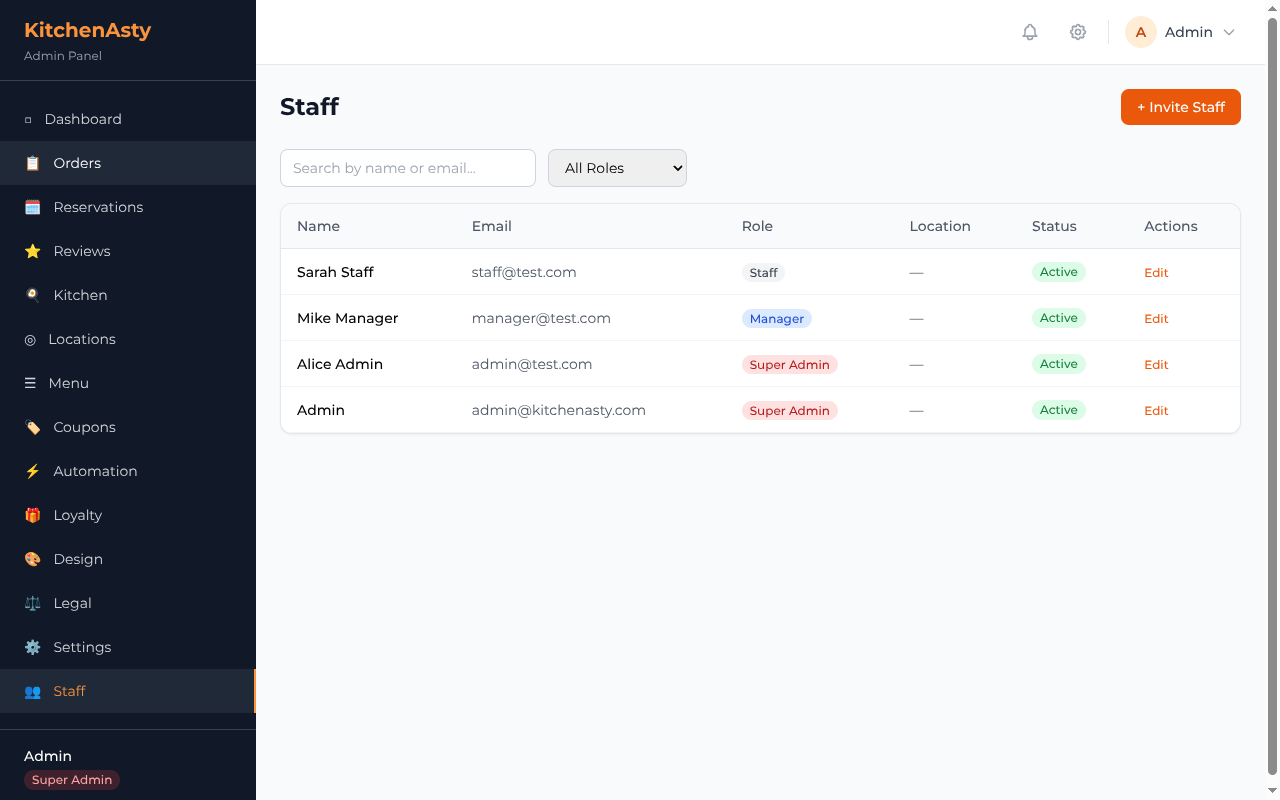
The staff list page (Super Admin only) provides:
- 🔍 Search by name or email
- 🎭 Filter by role (Super Admin, Manager, Staff)
- 📄 Pagination with configurable page size
- 🔀 Toggle active/inactive status directly from the list
- ✏️ Edit link to update staff details
✏️ Edit Staff
Super Admins can update:
- 📛 Name
- 🎭 Role (cannot change your own role)
- 📱 Phone number
- 📍 Assigned location (dropdown)
- 🔀 Active/inactive status (cannot deactivate yourself)
🖥️ Admin UI
The admin panel adapts based on the logged-in user's role:
- 🧭 Navigation — only shows links the user has permission to access
- 🛡️ Route guards —
RequireRolecomponent redirects unauthorized users to the dashboard - 👤 User info — sidebar displays the user's name and role badge
- 🔝 Header — shows user name and logout button
🔐 API Protection
All staff endpoints are protected with middleware:
- 🔑
authenticate— requires valid JWT - 🚫
requireStaff— rejects customer tokens - 🎭
requireRole(...)— checks the user's role against the allowed list
See the Staff API reference for endpoint details.